← Help center · First steps
Connect your own AI key (29 providers to choose from)
Where to get a key, where to paste it, what it costs, and why your content never touches our servers.
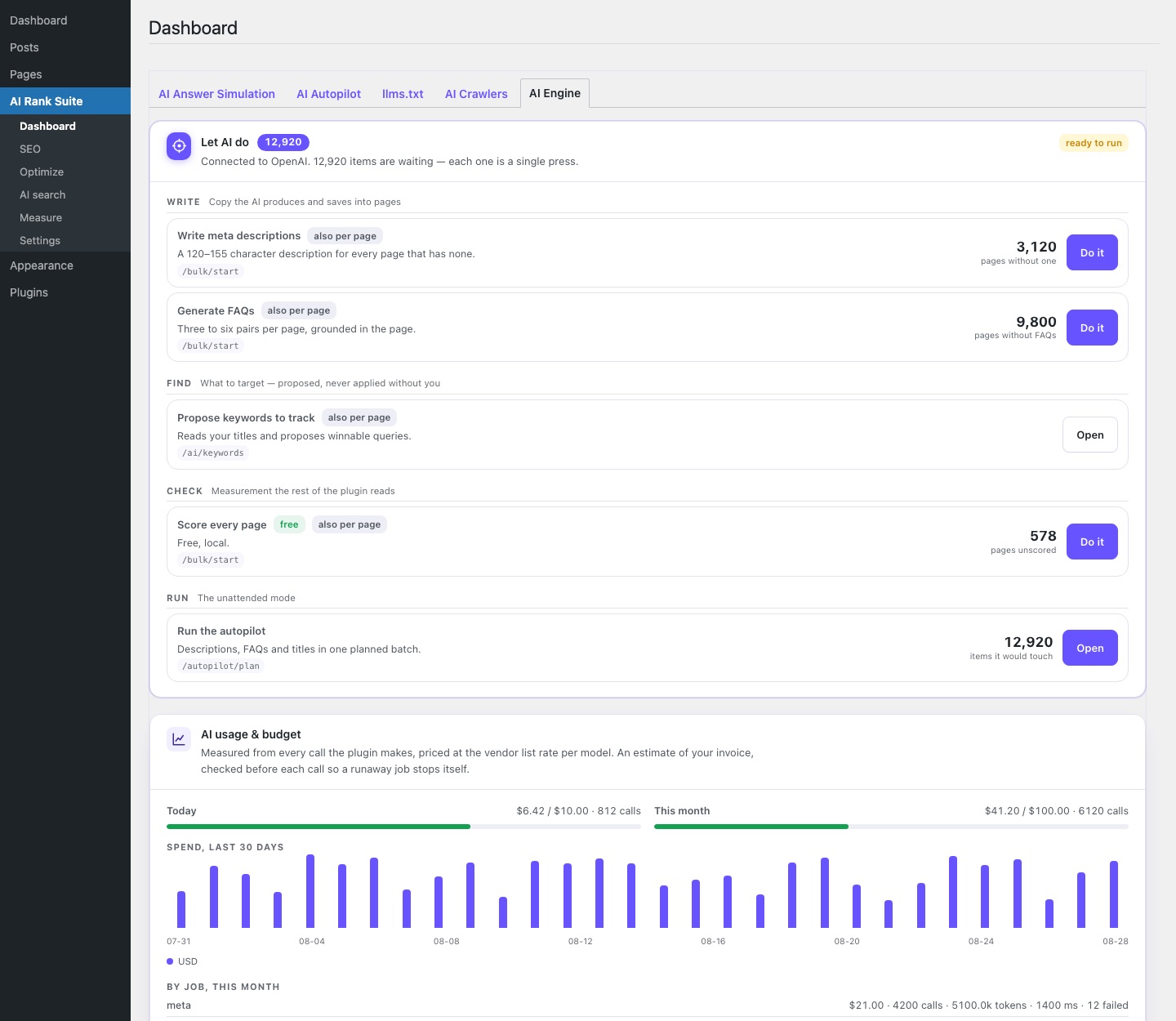
Pro features that generate text — the AI writer, rewrite suggestions, the assistant simulation — run on your own API key. You create the key at one of 29 supported providers (OpenAI, Anthropic, Google, xAI, Perplexity, Mistral, DeepSeek, OpenRouter and more — or none at all, if you run Ollama or LM Studio locally), paste it under AI search → AI engine → Credentials, click test, done. The key is stored encrypted in your WordPress database and is only ever sent to the provider you chose.
What it costs
You pay your provider's list price per token, nothing on top. A meta description costs fractions of a cent; a full article draft a few cents. The usage ledger under AI search → Usage records every request with its real cost, and you can set a monthly budget that hard-stops spending — the plugin refuses new AI work once the budget is reached, mid-month, no surprises.
Which model to pick
The default works. If you want to tune: cheaper models are fine for meta descriptions and alt texts; use the stronger ones for article drafts and the assistant simulation, where nuance matters. You can change models any time — the choice is a dropdown, not a contract.
Privacy
Requests go directly from your server to the provider's API. Your drafts, your pages, your prompts — none of it flows through airanksuite.com. That is the entire point of BYOK: one data agreement (yours with your provider), not two.
Question not answered? Write us — we answer fast.
Email contact@airanksuite.com